
Connected Multi-Shot Stories
Build connected shots for product reveals, ad concepts, and cinematic sequences without creating every scene separately.
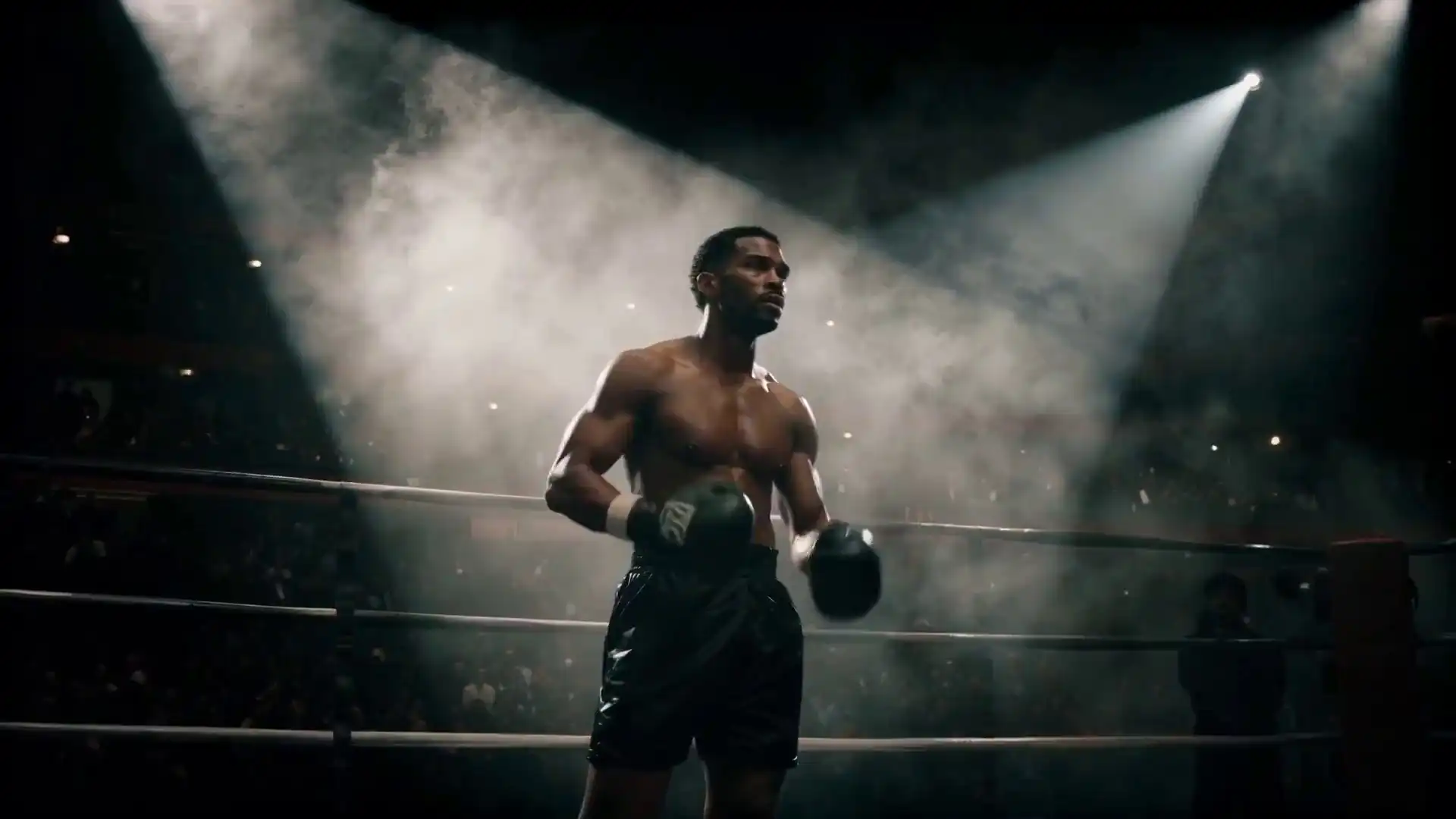
Turn text, images, or audio into cinematic video with LTX 2.5. Create multi-shot stories with consistent characters, natural motion, and output options up to 4K.
Create online
Start with text, images, or audio, then customize the settings that matter to your video.
Choose how to start
Model
First Frame Required
Last Frame Optional
Created with LTX 2.5
Browse real videos created with LTX 2.5. Select any example to watch the full result.
Why creators choose LTX 2.5
Turn one idea into a polished video sequence with consistent characters, controlled motion, and high-resolution output.
Build connected shots for product reveals, ad concepts, and cinematic sequences without creating every scene separately.
Keep characters, environments, lighting, and visual style more consistent across shots, so your sequence needs fewer manual fixes.
Describe the action, framing, camera movement, lighting, and mood in natural language—and get results that stay closer to your idea.
Choose the length that fits your idea, from a focused 6-second visual to a more developed 20-second sequence with Fast.
Use Text to Video for a new idea, Image to Video to animate first and last frames, or Audio to Video to build visuals around existing sound.
Create everyday content at 720p or 1080p, then move up to 2K or 4K with Fast when your project needs more detail.
Choose a mode and create your first video.
Create in four simple steps
Turn an idea into a polished AI video directly in your browser—no complex setup or editing experience required.
Start with Image to Video, Audio to Video, or Text to Video based on the material you already have.
Describe the result you want, then upload the required image or audio when your selected mode needs it.
Choose a model, resolution, and duration, then open More Settings only when you need additional control.
Create your video, review the motion and framing, refine your prompt if needed, then download the finished result.
A meaningful step forward
See how LTX 2.5 improves the creative experience—from building isolated clips to directing cleaner, more connected video stories.
Earlier workflow
Earlier workflows often required generating shots one at a time and manually trying to keep the character, setting, and visual style aligned.
With LTX 2.5
LTX 2.5 can generate native multi-shot scenes in one pass, helping the sequence feel like one connected story across cuts.
Earlier workflow
Fast movement, active backgrounds, and camera changes could produce smearing or distracting inconsistencies between frames.
With LTX 2.5
A redesigned video decoder delivers cleaner, smoother motion with fewer visible artifacts in demanding scenes.
Earlier workflow
Complex prompts could require repeated rewriting before the model followed the intended action, framing, lighting, and mood.
With LTX 2.5
Stronger prompt adherence helps LTX 2.5 respond to shorter, clearer creative direction while staying closer to the intended scene.
Earlier workflow
Limited duration choices could make a detailed action feel rushed or leave a simple visual running longer than needed.
With LTX 2.5
Choose from 6 to 20 seconds with Fast or 6 to 10 seconds with Pro, so the video length better fits the idea and intended pacing.
Built for real creative work
See how teams can apply LTX 2.5 to specific production tasks—from product launches and client pitches to scene planning and content campaigns.
Ecommerce & Retail
Animate a catalog image into a polished product reveal, lifestyle scene, or feature-focused clip for product pages, paid ads, and seasonal launches.
Prompt idea: Reveal a sneaker, show it in motion, and finish on a clean branded product frame.
Advertising & Agencies
Transform a creative brief into several campaign directions so clients can compare the setting, camera language, pacing, and overall mood before approving a shoot.
Prompt idea: Produce a cinematic beverage spot concept for a pitch deck and client review.
Film & Television
Turn a script excerpt into connected shots to explore blocking, locations, lighting, camera angles, and transitions before the crew arrives on set.
Prompt idea: Preview an establishing shot, character entrance, and close-up reaction.
Music & Entertainment
Develop a visual world for a song, teaser, backdrop, or lyric video while keeping the artist, color palette, and atmosphere consistent across scenes.
Prompt idea: Create neon city visuals for a single announcement and live-stage screen.
Social Media & Content Teams
Test different hooks, settings, and visual treatments for short-form content without arranging a new shoot for every creative variation.
Prompt idea: Create a vertical campaign opening for Reels, Shorts, and TikTok.
Games & Animation
Bring concept art and story ideas into motion to evaluate character behavior, environments, visual effects, and cinematic direction before full production.
Prompt idea: Preview a hero entering a new environment from several camera angles.
Plans and credits
Buy credits once and use them whenever you are ready to create. Choose the pack that fits your next video project.
905
Credits included
2,376
Credits included
5,550
Credits included
Compare credit usage, billing details, and all available packs. View LTX 2.5 pricing details
Questions, answered
Find answers about creating videos online with LTX 2.5, including features, video quality, credits, commercial use, and common workflows.
LTX 2.5 is an AI video generation model in the LTX model family. It creates video from text, images, or audio and is designed for connected multi-shot scenes, stronger visual continuity, cleaner motion, better prompt adherence, synchronized sound in compatible modes, and high-resolution output.
Start with your idea, describe the subject, action, camera movement, lighting, and mood, choose the available video settings, then generate. Review the result and refine your prompt if you want another version.
You can create product videos, social media clips, advertising concepts, cinematic scenes, music visuals, story previews, and other short creative videos.
Yes. LTX 2.5 can create multiple connected shots while improving continuity across characters, environments, lighting, and visual style.
The LTX 2.5 Fast option supports resolutions up to 4K in this generator. Pro currently offers 720p and 1080p. Available settings are shown before you generate.
Fast videos can be set from 6 to 20 seconds, while Pro videos can be set from 6 to 10 seconds. Choose the available duration that best fits your video before generating.
Credit usage is calculated per generated second. Fast uses 10 credits per second at 720P, 15 at 1080P, 22 at 2K, and 34 at 4K. Pro uses 14 credits per second at 720P and 19 at 1080P.
The total credit cost depends on the model, resolution, and video duration. Multiply the applicable credits-per-second rate by the generated video length. You can purchase a one-time Starter, Creator, or Studio credit pack, and purchased credits never expire.
If a generation fails, review the status message and try again after checking your prompt and uploaded media. Contact support if the problem continues, and refer to the current billing policy for credit-related questions.
Yes. After generation is complete, review the result and use the available download option to save your finished video.
Yes. You can use videos generated with LTX 2.5 for commercial purposes, including advertising, social media, product marketing, client projects, and other business content. You remain responsible for having the necessary rights to any images, audio, trademarks, or other materials you upload or include.
Yes. Submit your request within 7 calendar days of purchase. Orders with 10% or less of the purchased credits used are eligible for a full refund; if more than 10% has been used, the refund is calculated from the unused credits. Requests made after 7 days are not eligible, and used, bonus, gifted, or promotional credits are non-refundable. See the Refund Policy for full conditions and processing details.
Choose a creation mode, describe your idea, and generate your video directly in your browser—no complex setup required.